How to Deposit on Mobile
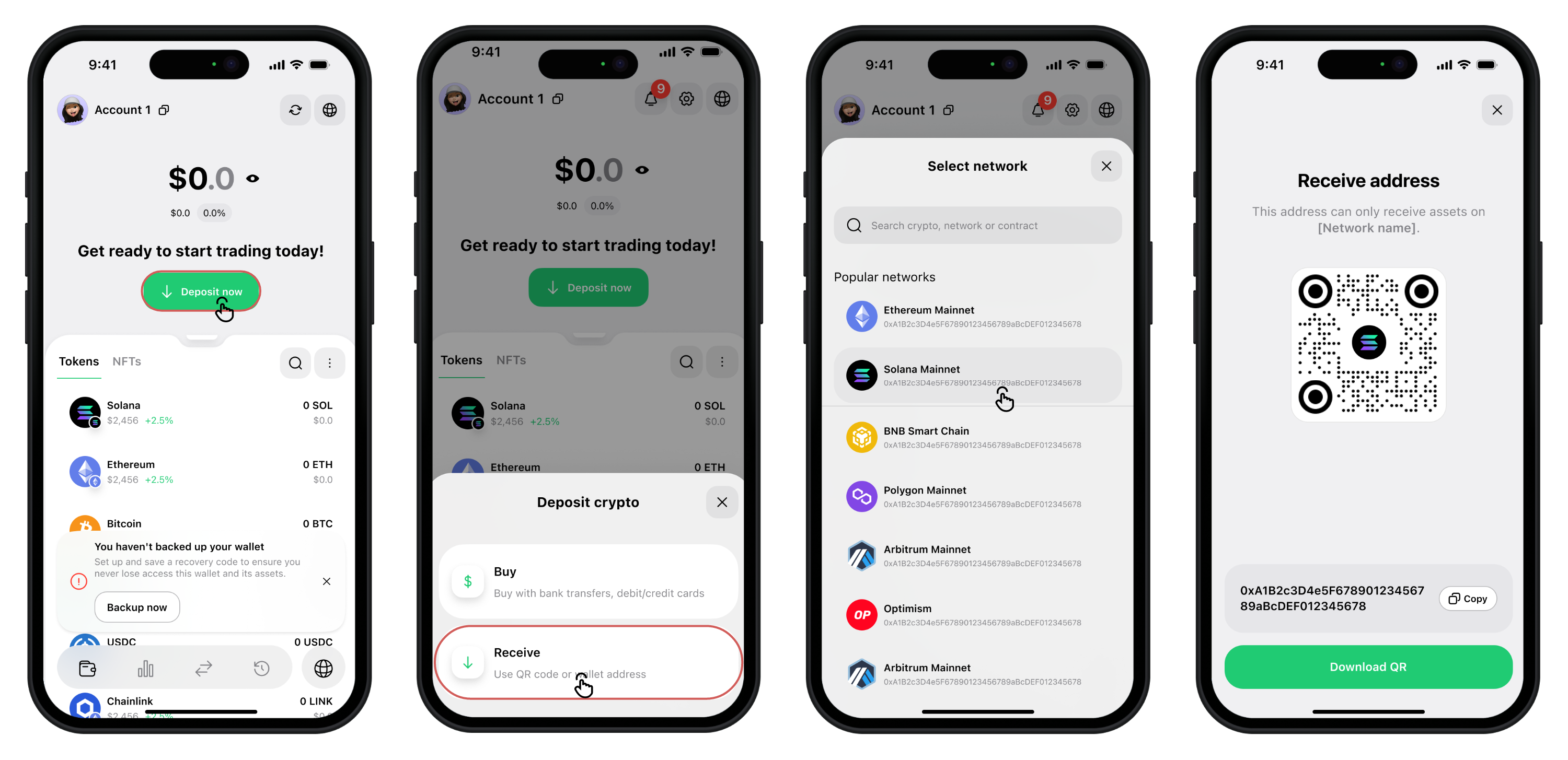
If your balance is empty:
- Tap Deposit now on the homepage.
- Select Receive.
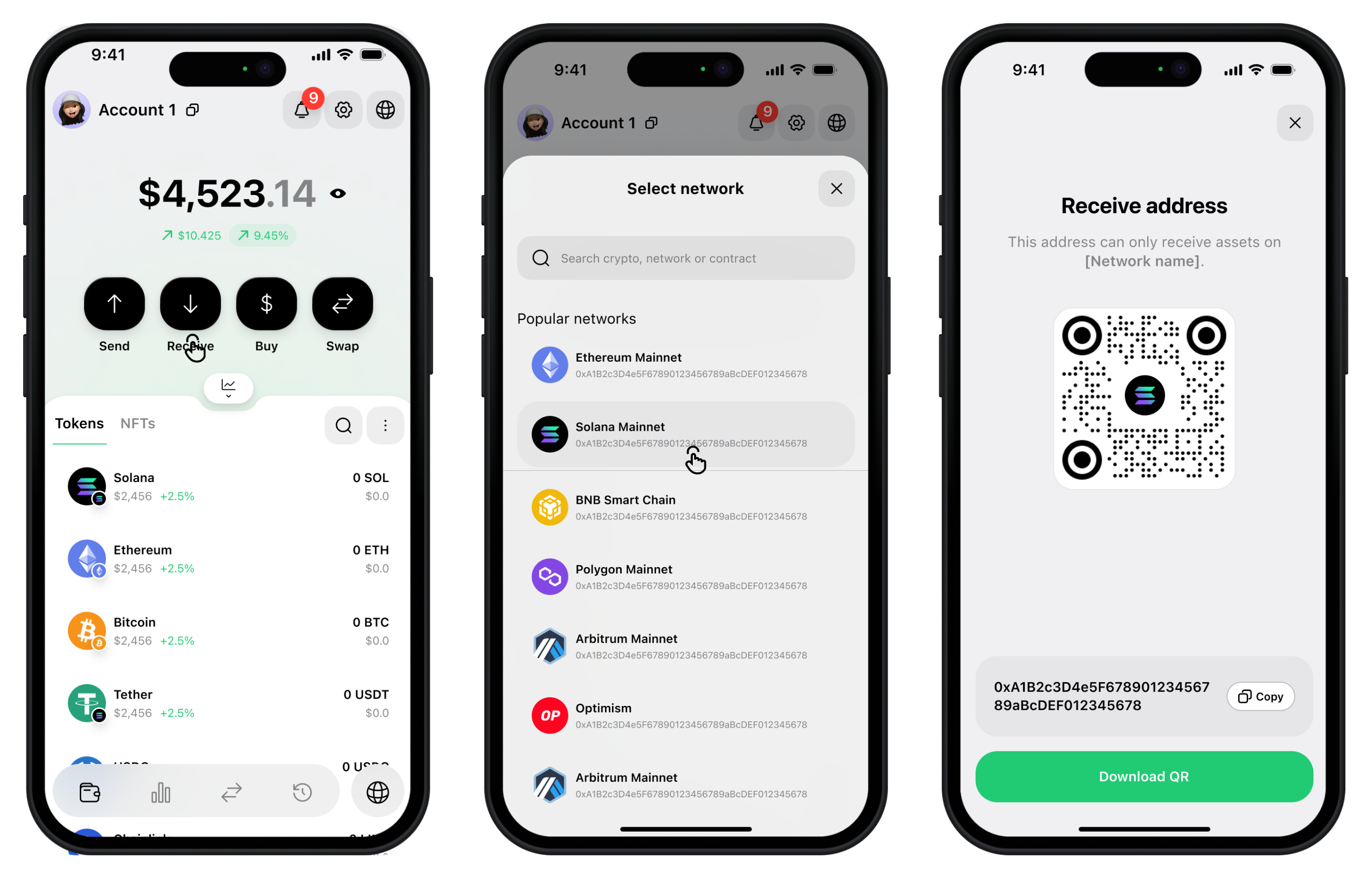
If you already have assets:
- From the main wallet screen, tap Receive.
- Choose How You Want to Receive
Option A: QR Code
- Show the QR code for someone to scan
- Or download it as a PNG to save or share later
Option B: Copy Address
- Tap Copy to copy your full receive address
- Paste it into the exchange or wallet you're withdrawing from
danger
Only send assets on the correct blockchain.
- Send SOL to a Solana address
- Send ETH to an Ethereum address
Using the wrong network may result in lost funds.